
On this page
In short
Drivers who buy telemetry get a report on their best lap after a normal session, sold at a price the venue sets. The venue also sees which karts are logging, how much each one runs and how many hard hits it takes.
KartDataPro is a telemetry service for rental karting venues. It fits a compact data logger to the venue’s own karts, sells drivers a report on their best lap as a paid add-on, and gives staff a running record of every kart. Racing drivers buy their own logger; rental customers never could, so this is data they cannot get anywhere else.
What is installed on each kart?
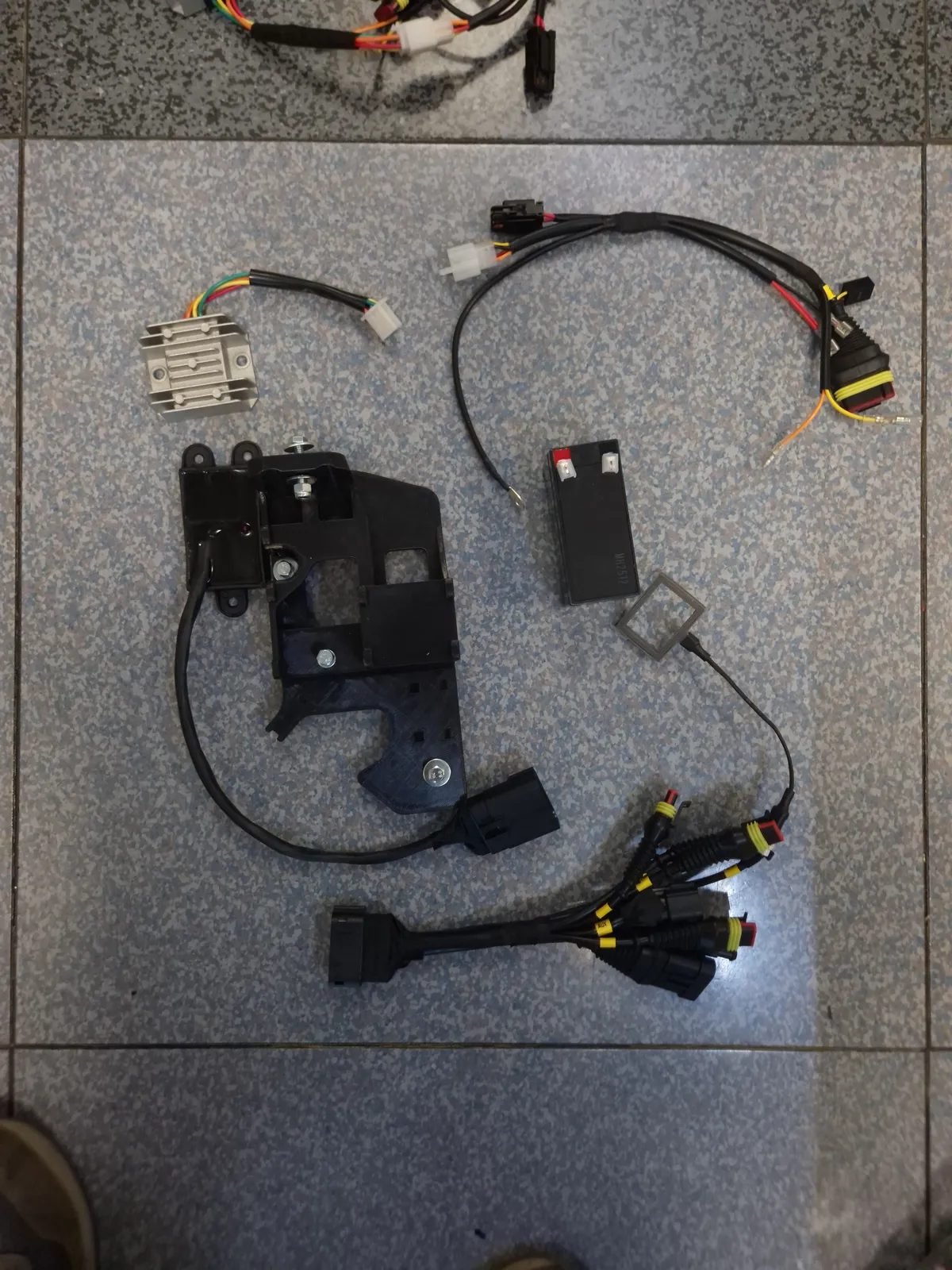
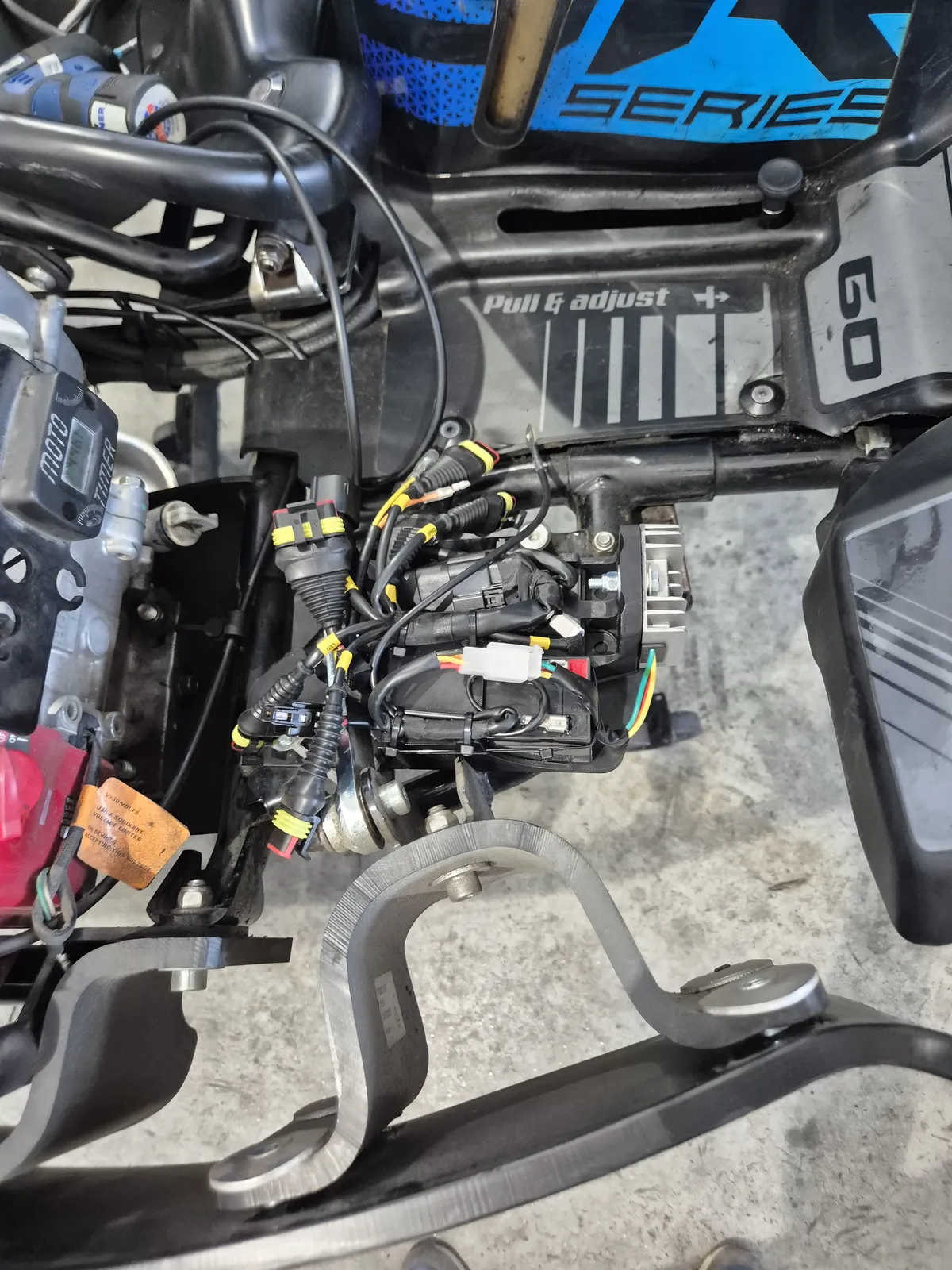
Each kart gets a compact KartDataPro logger. It combines a motion sensor, a brake pressure sensor and a speed sensor on one wheel, and from them works out the speed, gas, braking and steering angle over every metre of every lap.
What does the driver receive after a session?
The driver gets a PDF report that compares their best lap of the session (Lap A) with a reference (Lap B). Lap B is normally the fastest lap set on the same layout in the last 365 days, by any driver. Staff can also pick another lap as Lap B, so friends, parties and corporate groups can race against each other’s laps. Reports come in English, Spanish and Italian.
- Page 1: a lap table, top and average speed and average throttle. Then a track map with numbered corners, a plot of the forces on the kart and a steering plot.
- Page 2: five charts against distance around the lap. The first is the delta, the running time gap between the two laps.
- Page 3: advice from an AI race engineer. It sums up the gap, names the two or three places where the driver loses the most time and says what to try next.
Here is the delta from the public demo report. Where the line climbs, the driver is losing time to the track best.
Delta time: a driver's best lap against the track best
Gap in seconds (top) and speed in km/h (bottom), by distance around the lap
Your lapTrack best
528–568 m: +0.43 s
Show the chart as a table
| Distance (m) | Gap (s) | Your lap (km/h) | Track best (km/h) |
|---|---|---|---|
| 3 | +0.00 s | 58.5 km/h | 59.0 km/h |
| 200 | +0.70 s | 49.5 km/h | 49.8 km/h |
| 400 | +1.53 s | 42.9 km/h | 52.5 km/h |
| 528 | +2.27 s | 48.4 km/h | 55.6 km/h |
| 568 | +2.70 s | 40.8 km/h | 45.6 km/h |
| 600 | +2.74 s | 51.9 km/h | 50.1 km/h |
| 800 | +3.18 s | 53.7 km/h | 54.0 km/h |
The driver leaves knowing which corners to improve, and a concrete reason to book another session to beat it. For more on the report, see How to read your KartDataPro report.
How does a venue sell telemetry as an add-on?
Telemetry is a product on the venue’s own price list, in its timing system. The venue sets the price. When a session is sold with that product, the run is marked for a report.
The timing system tells KartDataPro who drove which kart and who bought telemetry, so each report reaches the right driver without extra work at the desk. BMI Leisure is supported today; for other timing systems, we build the connection during onboarding. Reports are emailed to drivers with a KartDataPro account and to anyone whose booking asks for results by email.
The venue receives a copy of every automatic report at its own email address. Staff can also make a report at the desk for any driver and session, with or without the AI advice, and print it. A statistics screen counts the venue’s reports by day, month or year.
What fleet data does the venue get?
The data from each session also feeds four screens for the venue’s staff.
- Monitoring: for each kart, whether its logger was seen recently and when it last ran, how many runs it did today and its best lap of the day. Any kart that needs attention stands out at a glance.
- Maintenance: hours of running and the number of hard impacts for each kart since its last service, so servicing follows real use.
- Track layouts and karts: switch the active layout when the track changes, so every lap is compared on the right configuration.
- Analysis tool: open any two laps recorded at the venue and compare them channel by channel.
A public track-record page for the venue
With the venue’s agreement, KartDataPro can publish a page for it showing the record lap on each layout. The page shows the circuit map and the lap’s telemetry, the layout’s length and the lap time. It never shows the driver’s name.
A live badge links the venue’s own website to the page, giving customers a record to chase. KartDataPro checks each record before it appears.


The venue can also link its customers to guides like What is kart telemetry?, which come in English, Spanish and Italian.
What does a venue need to get started?
An internet connection at the track and the session feed from the timing system. KartDataPro sets up the karts, the track layouts and the reports with you.
To see how this would work with your karts and timing system, talk to us. How the units fit your fleet, and what the service costs your venue, are discussed on that call.
Running at


Frequently asked questions
Who sets the price a driver pays for telemetry?
The venue does. Telemetry is a product on the venue's own price list in its timing system, and the driver buys it there with the session.
How is the unit fitted to our karts?
KartDataPro agrees the mounting for your kart model and plans the rollout with you on a call before installation. Use the Talk to us button at the end of this page to arrange it.
Which languages are the reports in?
English, Spanish and Italian, including the AI advice on page 3 and the report email.
Does telemetry help with kart maintenance?
Yes. Each kart's running hours and hard impacts are counted since its last service, so staff can plan maintenance from real use.
Can drivers compare laps with their friends?
Yes. Staff can set any lap as the reference, so friends, parties and corporate groups can race against each other's laps.
How we measured
- Example laps
- Indoor rental track, March 2026, the two anonymised laps of the public demo report
- Chart processing
- Both laps lined up by distance around the lap, as in the report
